Ever found yourself staring at an Excel sheet, scrolling through hundreds of rows of customer installment payments, and feeling that familiar dread? You’re trying to figure out who paid what, when, and how much they still owe, all while juggling calls from customers and agents. It’s a messy dance, isn't it? If your business relies on installment sales – whether you're selling land in Abuja, cars on hire purchase in Lagos, or solar panels in Kano – you know the struggle is real. In 2026, over 60% of Nigerian SMEs still manage their crucial customer payment records and contract details primarily with spreadsheets, notebooks, and WhatsApp chats. This article is your step-by-step guide on How to Move Installment Records from Excel to Software: A Step-by-Step Guide.
 Business owner looking at a complex excel spreadsheet
Why Most People Get This Wrong from Day One
Let's be honest, Excel is a powerful tool. It's affordable, flexible, and most of us already know how to use it. Many businesses start there, and for a handful of customers, it works just fine. You create columns for customer names, product, initial deposit, monthly payment, and maybe a few payment dates. Simple, right?
Here's the thing though — does that actually work when your customer base grows from 10 to 50, then 100, or even 500? What happens when a customer makes an irregular payment, or an agent misrecords a transaction? Suddenly, that simple spreadsheet becomes a tangled web of formulas, manual corrections, and conflicting information. I've seen it countless times. A real estate developer in Kaduna, selling plots for ₦1,250,000 each, had over 200 customers. His team was spending nearly ₦40,000 a month just on printing paper receipts and reconciling weekly payments, and still, customers would call, arguing about their outstanding balances. His Excel sheet was a nightmare of broken formulas and handwritten notes.
The biggest mistake is thinking Excel can scale with your business. It can't. It lacks automated reminders, proper audit trails, and a centralized view of all your contracts. You’re constantly double-checking, manually calculating, and praying you didn't miss a payment. This isn't just inefficient; it costs you real money in lost time, potential disputes, and missed opportunities.
Before You Do Anything: The Foundation Work
Before you even think about moving your installment data to software, you need to prepare. This isn't a race; it's a migration. Skipping these steps is like building a house on sand – it will crumble.
1. Gather All Your Data Sources
Where are your customer payment records currently hiding? Is it just Excel? Or do you have notebooks, paper receipts, WhatsApp chats, and even mental notes from your agents? You need to consolidate everything. Every single piece of information related to a customer, their contract, and their payments.
2. Clean Up Your Existing Data
This is the most critical, and often most painful, step.
- Remove Duplicates: Do you have Mrs. Amina Ibrahim listed twice because of a typo? Or a customer with two different phone numbers? Consolidate these.
- Standardize Formats: Ensure all dates are in one format (e.g., DD-MM-YYYY), and currency values are consistent.
- Identify Missing Information: Are there contracts without clear payment schedules? Customers without contact details? Make a list and try to fill in the gaps.
3. Define Your Business Rules and Workflow
How do you currently operate?
- What's your typical payment frequency (weekly, monthly, quarterly)?
- What information do you collect for new customers?
- How do you calculate overdue charges?
- Who records payments, and who approves them?
The Step-by-Step Path (What Actually Works)
Now that your house is in order, let's talk about the practical steps to move installment records from Excel to software.
Step 1: Choose the Right Installment Management Software
This isn't about picking the most expensive or the one with the most bells and whistles. It's about finding a solution that fits your specific needs as a Nigerian business. Do you need a robust system for a real estate business with multiple agents, or something simpler for a solar equipment leasing company?
When selecting, consider:
- Ease of Use: Can your staff learn it quickly?
- Nigerian Context: Does it handle Naira, local payment methods, and common business practices here?
- Key Features: Does it offer customer payment records software, contract management software Nigeria, and a receipt generator app Nigeria?
- Support: Is local support available if you run into issues?
Step 2: Set Up Your New Software Environment
Once you've chosen your software, you'll need to set it up. This usually involves:
- Creating Your Business Profile: Input your company details, branding, and any specific configurations.
- Defining Asset/Product Types: If you sell different items (e.g., 3-bedroom flats, Toyota Corolla, 5kVA inverter), categorize them.
- Configuring Payment Terms: Set up your default installment durations, frequencies, and any late payment policies.
Step 3: Import Your Cleaned Customer and Asset Data
This is where your hard work from the "clean up" phase pays off. Most modern software, including Payvo, will have options for installment data import.
- Customer Data: Import your list of customers. This usually includes names, contact details, and any unique identifiers.
- Asset/Product Data: Import details about the items you sell on installment.
- Contract Data: This is the most complex part. You'll need to import each contract, linking the customer to the asset, specifying the total amount, initial deposit, installment amount, and payment frequency.
Step 4: Record Initial Balances and Payment Histories
Once your customers, assets, and contracts are in the system, you need to record their current status.
- Current Outstanding Balances: For each active contract, input the verified outstanding balance you calculated during your data cleanup.
This step ensures that your new system accurately reflects what customers owe you as of today.
Step 5: Train Your Team and Go Live
A new system is only as good as the people using it.
- Training: Conduct thorough training for anyone who will interact with the software – sales agents, finance staff, and management. Show them how to add new customers, create contracts, record payments, and generate reports.
- Pilot Phase: Consider running a small pilot with a few new customers or a subset of existing ones to iron out any kinks before a full rollout.
- Phased Migration: Instead of switching everything at once, you might decide to manage all new contracts in the software while slowly migrating older, active contracts.
Step 6: Monitor, Review, and Optimize
The migration isn't a one-and-done event.
- Regular Checks: Continuously monitor the data for accuracy. Compare reports from the new system with your old records for a few weeks to ensure consistency.
- Feedback Loop: Encourage your team to provide feedback on what's working and what could be improved.
- Utilize Features: Explore additional features like WhatsApp payment notification system or automated reminders to further streamline your operations.
The Numbers That Will Make or Break You
Let's talk money, because that's what truly drives business decisions. Transitioning from Excel to software isn't free, but the long-term benefits far outweigh the costs.
Initial Setup Costs (One-time):
- Software Purchase (if self-hosted): If you opt for a one-time purchase model for more control, expect to pay between ₦150,000 and ₦500,000. This is often for larger enterprises or those with specific security needs.
- Basic Computer/Laptop: To run your software efficiently, a new entry-level laptop costs about ₦120,000, while a more robust machine could be up to ₦350,000. Don't skimp here; a slow computer slows down your business.
- UPS/Inverter System: Essential for uninterrupted operations in Nigeria, a good UPS or inverter can range from ₦70,000 to ₦300,000. Power fluctuations can corrupt data, and you don't want that.
- Software Subscription (Basic Plan): For a small business, a basic plan will run you about ₦5,000 to ₦15,000 per month. This is for managing a reasonable number of contracts and customers.
- Software Subscription (Advanced Plan): If you're a medium-sized enterprise, perhaps a car dealer with multiple branches or a real estate firm in Lagos, an advanced plan with more features and users could be ₦20,000 to ₦60,000 monthly.
- Internet Data: Consistent internet is crucial for cloud-based software. Budget ₦5,000 to ₦15,000 per month for reliable data.
- Power Generator Fuel: Let’s be real, NEPA isn't always dependable. For consistent power, expect to spend ₦20,000 to ₦80,000 monthly on fuel, depending on your generator size and usage.
- Staff Training (Ongoing): While initial training might be a one-off, ongoing support or refresher courses could be ₦10,000 to ₦50,000 per person if external trainers are needed.
- IT Support/Consultation (Ad-hoc): Budget ₦15,000 to ₦40,000 per hour for troubleshooting or specific setup assistance from a local expert.
Now, let's look at the return. How much time do you currently spend manually reconciling records? If your staff spends just 2 hours a day on this, and they earn ₦80,000 a month, that's roughly ₦10,000 of their salary spent on manual tracking. Over a month, across a small team, this adds up.
A dedicated system like Payvo means:
- Reduced errors, saving you money from incorrect calculations or disputes.
- Faster access to customer payment records software, improving customer service.
- Better visibility into overdue payments, leading to more timely collections.
- Efficient agent tracking, ensuring proper commission calculation and accountability.
Growth After Launch: The Next 90 Days
The first 90 days after migrating your data are crucial for solidifying your new processes and truly harnessing the power of your chosen software. This isn't just about tracking; it's about optimizing for growth.
Week 1-4: Stabilize and Standardize
Focus on getting everyone comfortable. Ensure all new contracts are created directly within the software. For a car dealer, this means every new hire purchase agreement goes straight into the system. For a real estate developer in Kano, every new land sale contract is immediately recorded. Use the system daily to record payments and update customer information. This is where features like the receipt generator app Nigeria come in handy, ensuring every payment is accounted for and customers receive professional documentation. Regularly check the
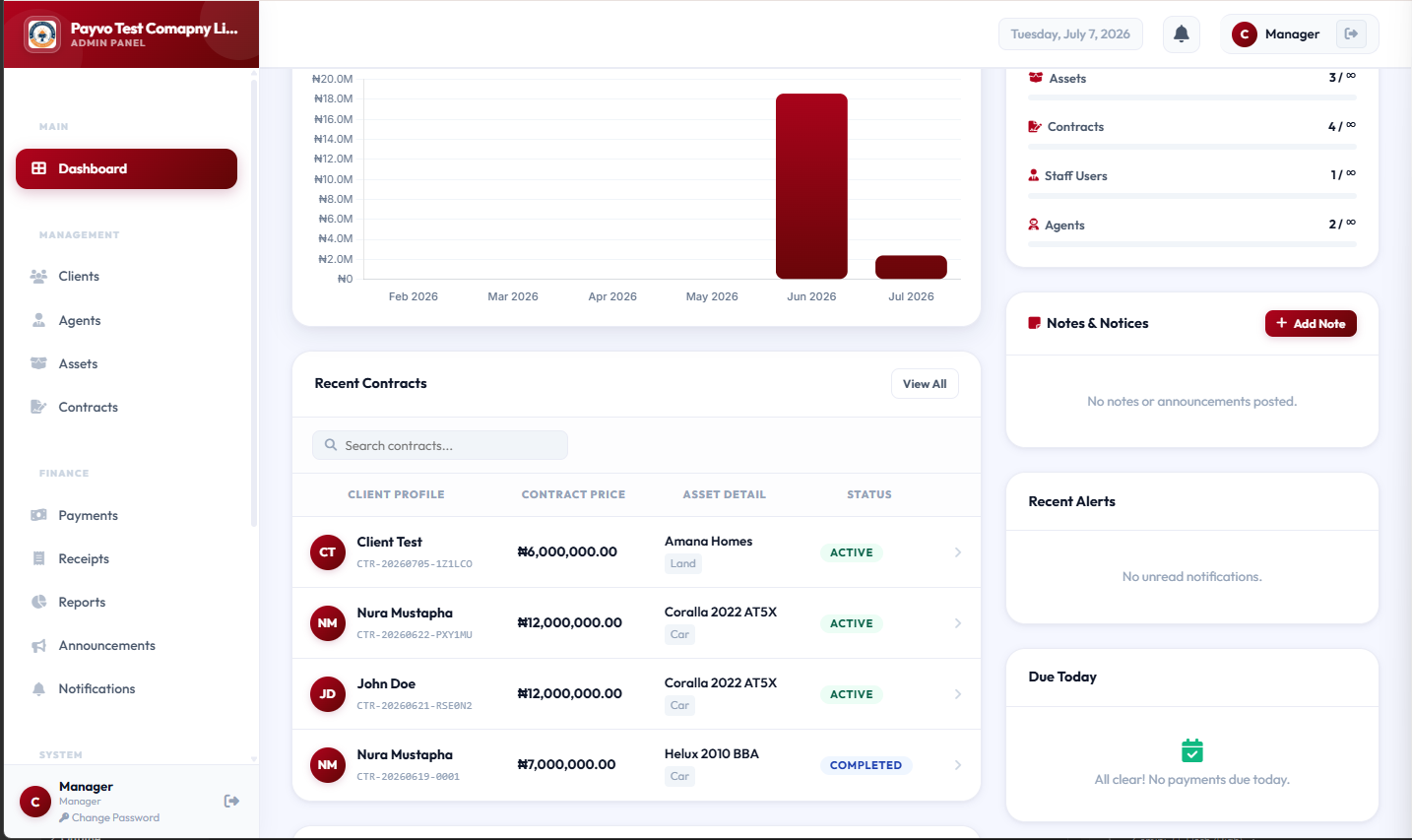 Dashboard (top)
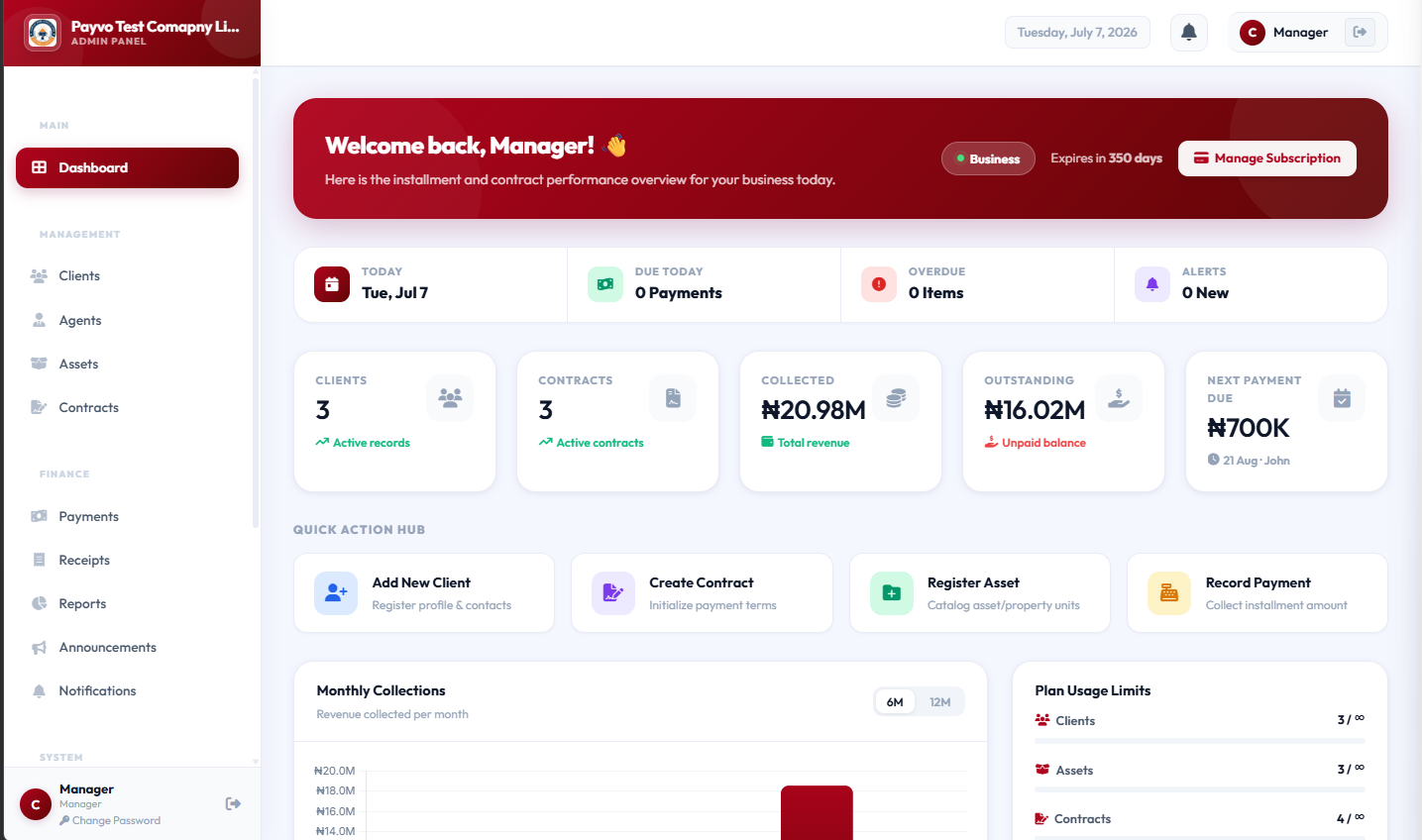 Dashboard (bottom)
Week 5-8: Analyze and Optimize
Once your team is comfortable, start digging into the data.
- Identify Payment Trends: Are payments typically late for certain types of customers or products?
- Agent Performance: If you use agents, utilize your agent commission tracking software to see who is performing best and where additional training might be needed.
- Customer Communication: Start leveraging features like automated payment reminders or WhatsApp payment notification system to reduce late payments without manual effort. You can manage your agents efficiently using the .
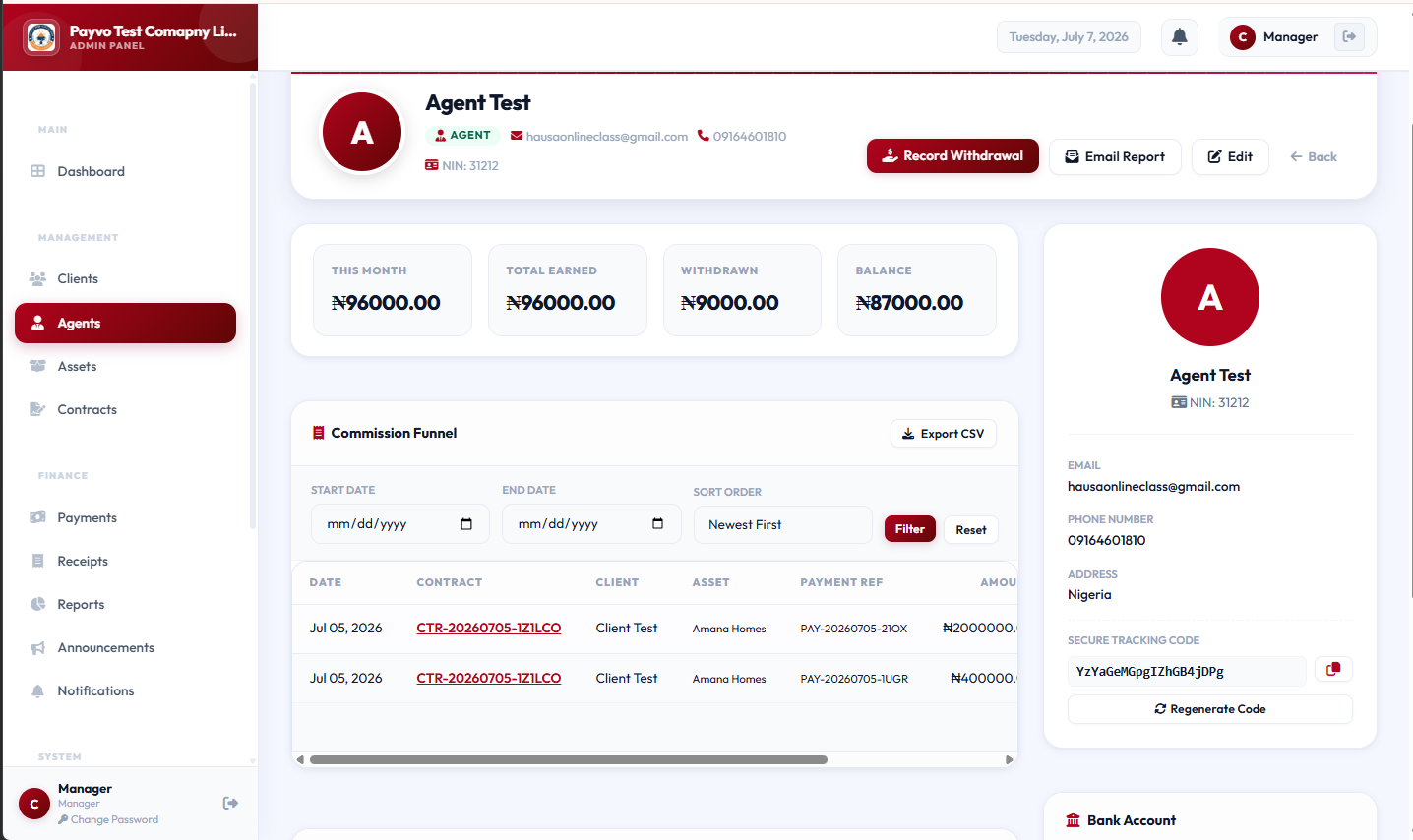 Agent details page
 - Reporting: Run your first financial reports. See your outstanding balances, collected payments, and overdue accounts all in one place. You can find these on the .
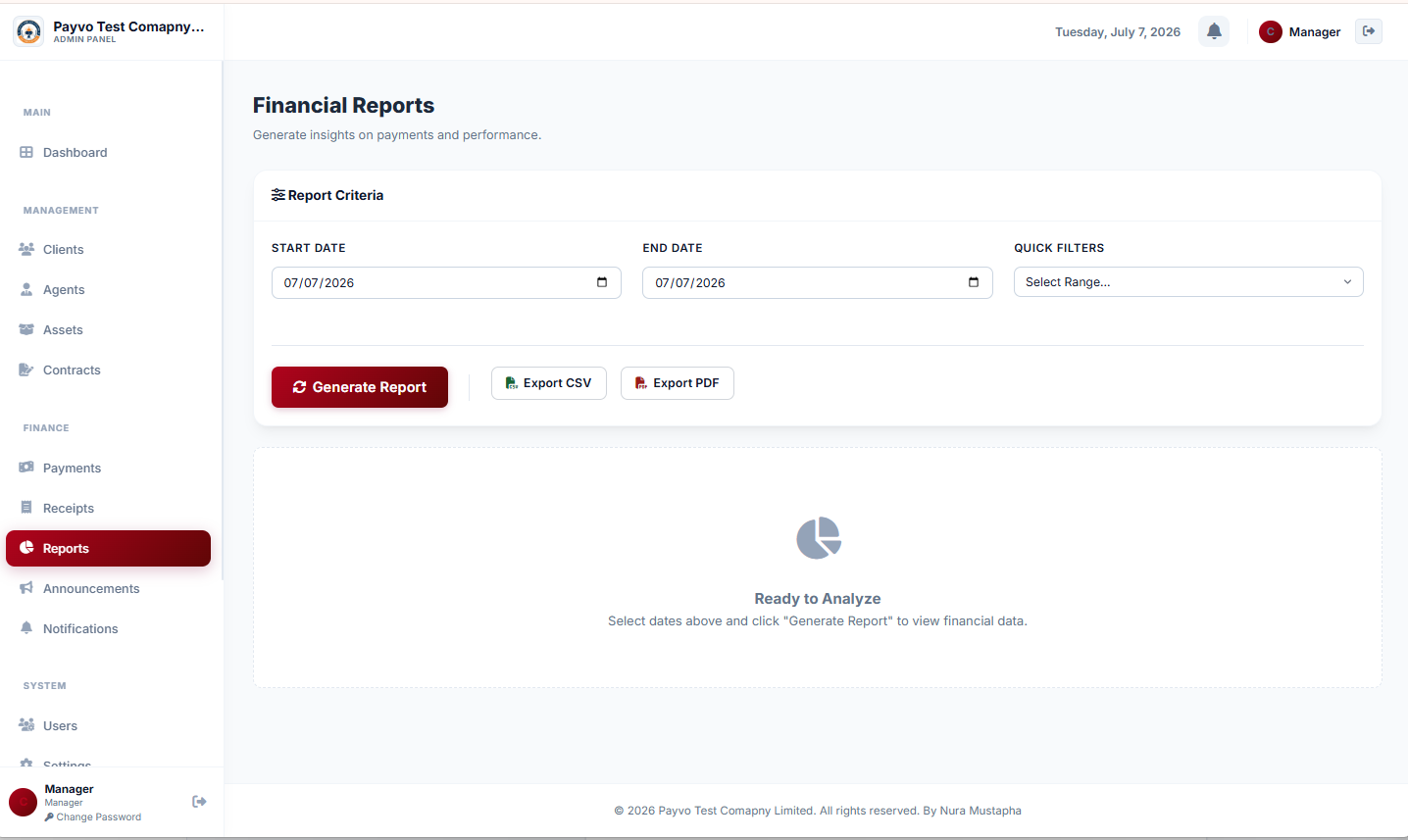 Financial Reports Page
This period is about moving from basic tracking to using insights to improve your operations.
Week 9-12: Expand and Integrate
Now that you have a solid foundation, consider expanding your use of the software.
- Integrations: If your plan allows, explore integrating with other tools you use.
- Feedback Loop: Continue gathering feedback from your team. What features would make their jobs easier?
- Strategic Planning: Use the accurate, real-time data from your installment management software to inform your business decisions. Which products are selling well on installment? Which payment plans are most effective?
- Explore Advanced Features: For instance, if you're a cooperative society, explore how the cooperative society management software capabilities can further streamline your member management.
This initial 90-day period sets the tone for how your business will grow with a structured system. It moves you from reactively chasing payments to proactively managing your installment sales.
FAQ: Answers to What You're Actually Googling
Q1: How do I clean up my messy Excel data before moving it to new software?
A1: Start by identifying unique identifiers for each customer and contract. Then, systematically go through and eliminate duplicate entries, standardize formats (dates, currency, names), and verify every outstanding balance manually. It’s tedious but crucial. Use Excel's filter and sort functions to group similar data, and don't be afraid to create a "cleanup" sheet to work on before touching your main data.
Q2: What's the biggest challenge when moving installment records from Excel to software?
A2: The biggest challenge is almost always the data integrity of your existing Excel sheets. Many businesses underestimate how many errors, inconsistencies, or missing pieces of information they have. If your data isn't clean, migrating it will just transfer the mess to a new, more expensive system. Spend adequate time on verification and cleaning.
Q3: Can I import my entire payment history, or just current outstanding balances?
A3: Most installment management software in Nigeria will allow both. Importing full payment history gives you a complete audit trail, but it requires much more effort in data preparation. If your priority is just to track future payments and current outstanding amounts, you can simply import the current outstanding balance for each customer as a starting point. This is often a good compromise for businesses with very long or complex histories.
Q4: How much does it cost to implement installment payment tracking software for a small business in Nigeria?
A4: For a small business, a basic software subscription might cost ₦5,000 to ₦15,000 monthly. You'll also need a reliable internet connection (₦5,000 - ₦15,000/month) and potentially a new laptop (₦120,000 - ₦350,000). Data migration services, if needed, could add ₦30,000 - ₦150,000 as a one-time cost. It's an investment, but one that quickly pays for itself in efficiency and reduced errors.
Q5: How can software help me track agent commissions for installment sales?
A5: Good agent commission tracking software within an installment management system allows you to link specific sales or contracts to the responsible agent. It can then automatically calculate commissions based on payments received, rather than just sales made, providing a clear and transparent system for your sales team, whether they're selling property or cars. You can manage and track agent performance from the
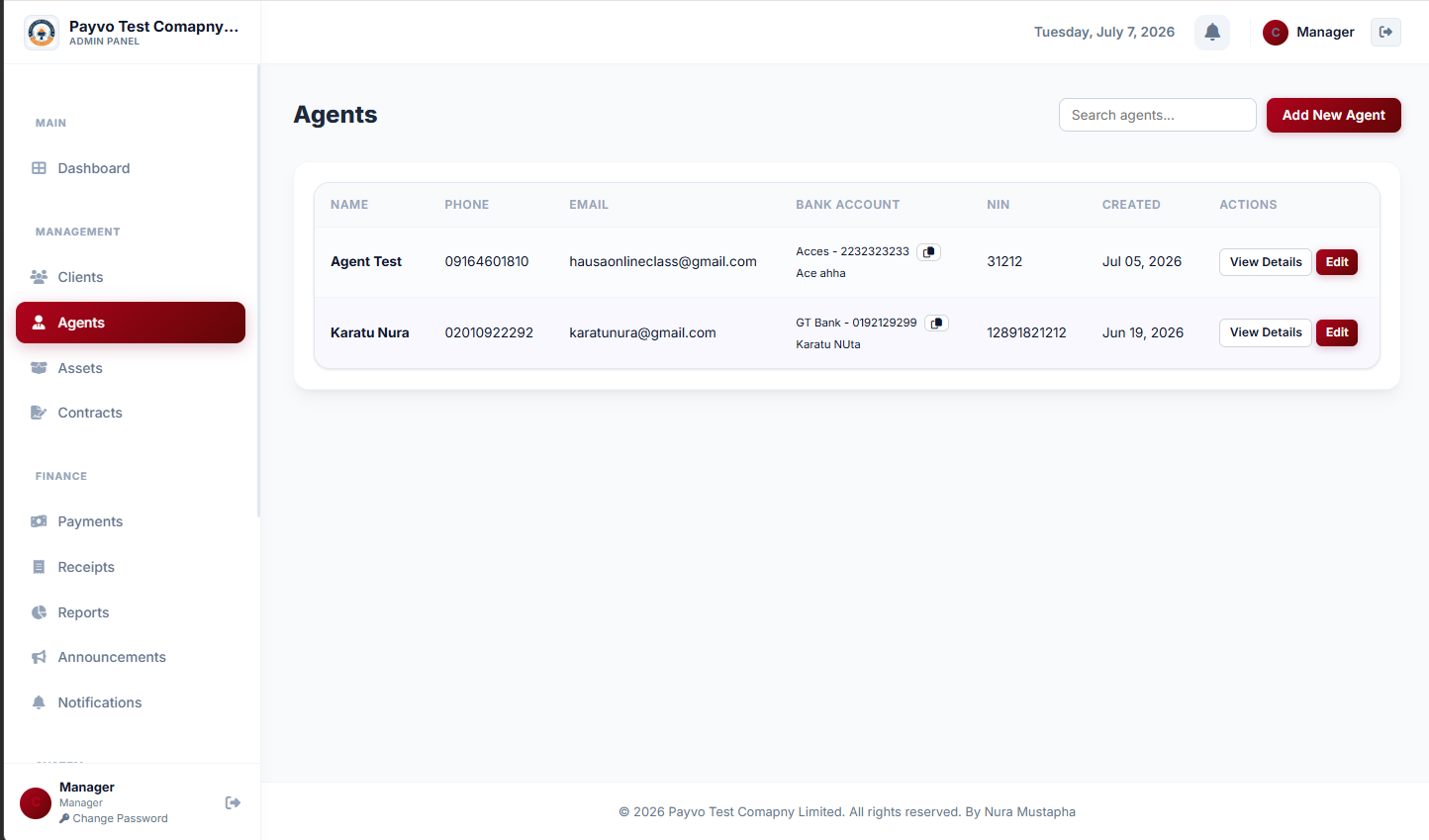 Agents list page
Ready? Here's Where to Start
Moving your installment records from Excel to software is a strategic decision that will transform how you manage your business. It's about moving from manual headaches and guesswork to clear, organized data that empowers you to make better decisions and grow. Don't let the thought of migration overwhelm you. Take it one step at a time, focusing on cleaning your data first. When you're ready for a system that truly understands the needs of Nigerian businesses managing installment sales, explore what Payvo has to offer. Visit payvo.ng to learn more and see how you can start your journey to better installment management today.